
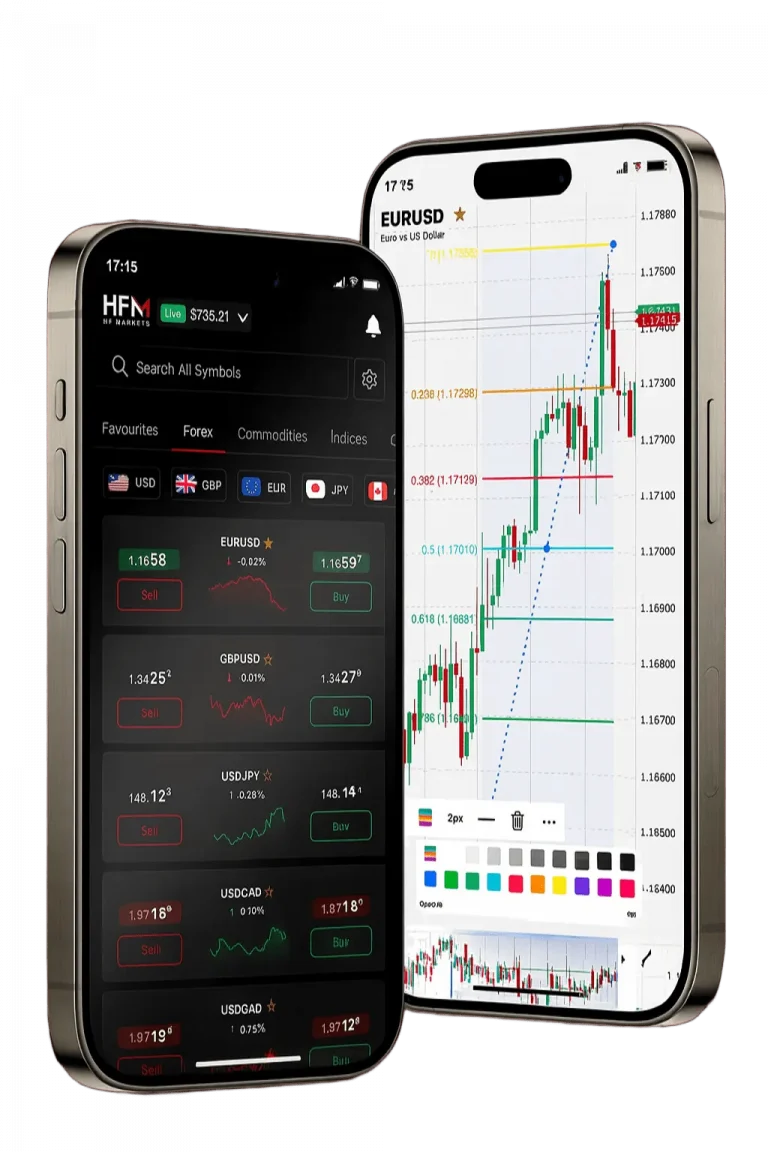
Setting Up Your HFM MT5 Account in South Africa
Our company provides South African traders with seamless access to the MetaTrader 5 platform. The hfm mt5 platform supports both forex and CFD trading, offering advanced charting, automated trading, and live market feeds. To start, visit our website and select “Open Account” where you can opt for a live or demo account. Provide your full name, email, phone number, and South African residential address during registration. We accept ZAR as your base currency, minimizing conversion fees and facilitating smooth transactions.
Verification requires uploading a valid South African ID and proof of residence. This process usually completes within minutes, enabling quick platform access. Choose from several account types designed to fit varying trading styles and capital levels.
| Account Type | Minimum Deposit | Spread | Commission | MT5 Access |
|---|---|---|---|---|
| Premium | No minimum | From 1.2 pips | None | Full |
| Cent | No minimum | From 1.5 pips | None | Full |
| Zero Spread | R500 | From 0 pips | R7 per lot | Full |
| Pro | R1000 | From 0.8 pips | None | Full |
Each account type enables full access to our MT5 platform’s features. Our spreads and commissions are structured to suit different trading volumes. We recommend selecting the account matching your risk and capital profile to maximise trading efficiency.
Downloading and Installing MT5 Platform
We ensure a straightforward installation process for Windows, Mac, Android, and iOS devices. Access the “Platforms” section in your dashboard to download the appropriate MT5 version. The installation file size ranges from 45MB on Windows to 52MB on Mac.
Desktop Installation Requirements
Windows requires version 7 or later, with at least 2GB RAM and 1GB free storage. Mac users need macOS 10.12 or newer with similar specifications. After download, launch the installer and follow the prompts to complete setup. The installer configures system settings and adds shortcuts automatically.
Mobile App Installation
Our mobile app supports Android 5.0+ and iOS 12.0+. Download it from Google Play or Apple App Store by searching for MetaTrader 5 by MetaQuotes. The app syncs with desktop accounts, allowing seamless trading across devices. Push notifications keep you informed of market movements and order statuses while on the go.
Platform Login and Initial Configuration
Login with your account number, password, and select “HFMarkets-Live” or “HFMarkets-Demo” server. The platform suggests the nearest server to South Africa for optimal connection. You can set language to English and display currency to ZAR for convenience.
Customising Your Trading Interface
Adjust chart windows, market watch panels, and workspace layouts to suit your strategy. Choose from over 80 indicators and timeframes ranging from 1 minute to monthly charts. Use drawing tools for technical analysis such as trend lines and Fibonacci retracements.
Enable one-click trading for faster order execution and configure price alerts to monitor instruments actively. Time settings automatically align with South African Standard Time (SAST), ensuring localised market session displays.
Trading Instruments and Market Access
Our platform covers 300+ instruments including forex pairs, commodities, indices, and cryptocurrencies. Forex includes over 50 pairs such as EUR/USD, GBP/USD, and USD/ZAR with 24/5 availability. Commodities like gold, silver, and crude oil offer leverage up to 1:500 for retail traders.
Order Types and Execution
Choose from market, pending, stop loss, take profit, and trailing stop orders. Execution is fast with an average speed under 50 milliseconds and no requotes. Negative balance protection safeguards your funds during volatile market conditions.
- One-click trading for quick entries
- Partial position closing for risk control
- Position hedging to manage exposure
- Expert Advisors for automated strategies
- Market depth showing order book status
| Instrument Type | Examples | Leverage | Trading Hours |
|---|---|---|---|
| Forex | EUR/USD, USD/ZAR | Up to 1:500 | 24/5 |
| Commodities | Gold, Crude Oil | Up to 1:500 | 24/5 |
| Indices | JSE40, S&P 500 | Up to 1:200 | 24/5 |
| Cryptocurrencies | Bitcoin, Ethereum | Up to 1:20 | 24/7 |
Deposit and Withdrawal Methods for South African Traders
We support convenient deposit options tailored for South Africa. Use Visa, Mastercard, local bank transfers, Skrill, or Neteller. Card and e-wallet deposits are instant with no platform fees. Bank transfers take 1-2 business days depending on your bank.
| Payment Method | Processing Time | Minimum Deposit | Maximum Deposit | Fees |
|---|---|---|---|---|
| Visa/Mastercard | Instant | R100 | R50,000 | None |
| Bank Transfer | 1-2 days | R500 | R100,000 | None |
| Skrill | Instant | R100 | R25,000 | None |
| Neteller | Instant | R100 | R25,000 | None |
Withdrawals follow the deposit method and require completed verification. Our compliance with South African regulations ensures secure fund handling and client protection.
Fund Security and Segregation
Client funds are kept in segregated accounts at top-tier banks. These accounts are separate from company funds, protecting your capital. Oversight by South Africa’s FSCA adds regulatory security. All transactions use SSL encryption for data protection.
Advanced Trading Tools and Analysis
The hfm mt5 platform includes extensive analytical resources. Use the economic calendar to track upcoming events and their potential market impact. Market sentiment indicators reflect client positioning to assist in trend analysis.
Expert Advisors and Automated Trading
Automate strategies with Expert Advisors coded in MQL5. Backtest your EAs with historical data to evaluate performance metrics like profit factor and drawdown before live deployment.
Copy Trading and Social Features
Copy trading connects you with skilled traders. Evaluate signal providers by risk and past performance. Social features include rankings, discussions, and shared market insights. You control risk settings and can stop copying any time.
- 80+ technical indicators with custom settings
- Multiple chart timeframes (M1 to MN1)
- Drawing tools for trend and pattern analysis
- Market depth and time & sales data
- Economic calendar with impact forecasts
Risk Management and Account Protection
Our platform implements strict risk controls for South African traders. Negative balance protection restricts account equity from falling below zero. Margin calls notify you as equity nears margin requirements. Stop-outs close positions at 20% equity to preserve funds.
Educational Resources and Support
We provide weekly webinars and video tutorials focused on platform use and trading strategies. Daily market analysis highlights currency movements and economic events. Customer support is available 24/5 with South African phone lines and live chat.
| Support Channel | Availability | Response Time | Languages |
|---|---|---|---|
| Live Chat | 24/5 | Under 2 minutes | English, Afrikaans |
| Phone Support | 24/5 | Immediate | English, Afrikaans |
| Email Support | 24/7 | Under 4 hours | English, Afrikaans |
| FAQ Database | 24/7 | Instant | English |
Platform Performance and Technical Specifications
Our MT5 servers operate with 99.9% uptime and low latency, using data centres in London, New York, and Hong Kong. South African traders typically experience ping times below 150 milliseconds. The platform supports up to 100 simultaneous charts with live updates.
Recommended system specs include minimum 4GB RAM and internet speeds above 1 Mbps for smooth operation. Servers handle over 1,000 orders per second with average execution speeds of 47 milliseconds. Price feeds refresh every 250 milliseconds for accuracy.
Access is available via desktop, web, and mobile apps with full synchronisation of watchlists, charts, and trade history. This ensures consistent trading experiences across devices.