
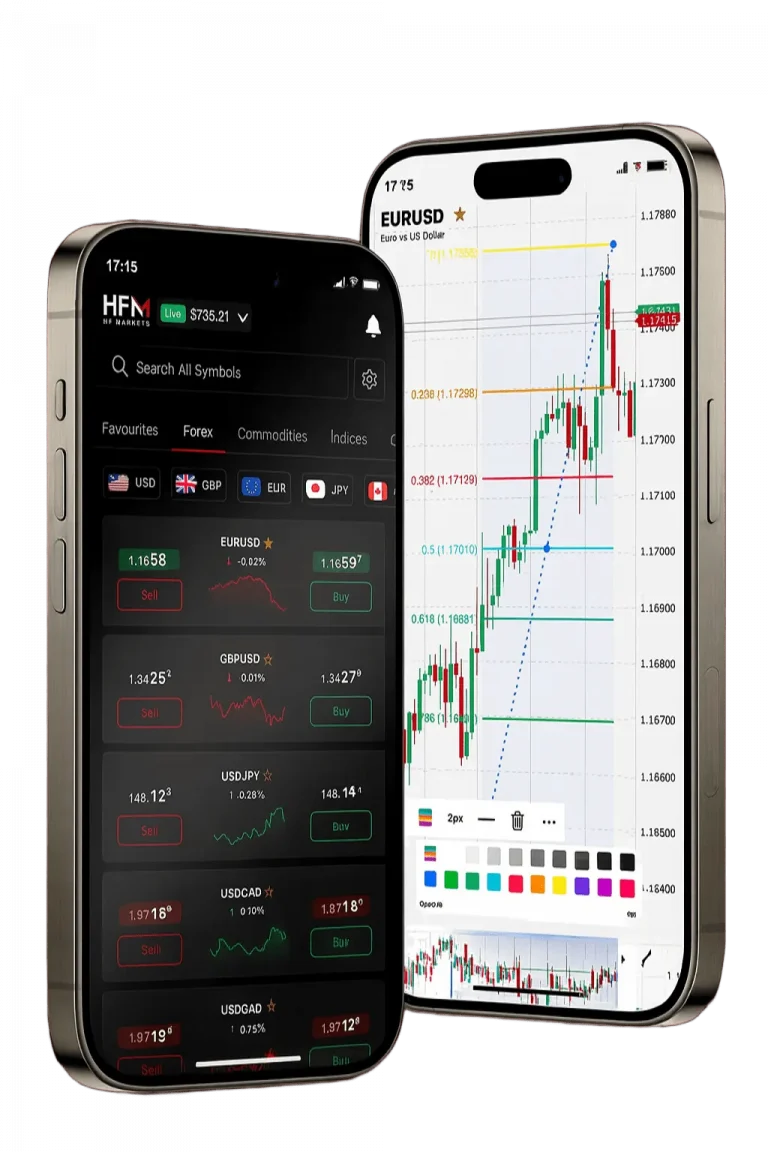
Opening Your HFM Demo Account in South Africa
Our company enables South African traders to quickly access risk-free trading via the hfm demo account. This account is funded with $50,000 in virtual capital to simulate real market conditions. You can open the demo within minutes by completing a straightforward registration form. Select South Africa as your country to ensure localisation and correct account settings. Once submitted, login credentials are sent by email almost immediately.
The registration requires basic details such as full name, phone number, email, and trading experience level. This information helps tailor the demo experience to your needs. No document uploads or identity verification are necessary at this stage, expediting access.
| Demo Account Features | Details | Benefits |
|---|---|---|
| Virtual Balance | $50,000 USD | Practice without financial risk |
| Platform Access | MT4, MT5, HFM Platform | Full trading functionality |
| Market Data | Real-time quotes | Authentic trading environment |
| Account Duration | 30 days (renewable) | Extended trial period |
Selecting Your Demo Trading Platform
We provide three main platforms for South African demo users. MetaTrader 4 offers advanced charting and automated trading. MetaTrader 5 adds more timeframes and analytical features. The HFM Platform is our proprietary solution offering intuitive navigation and streamlined trading.
- Download platforms from our official website’s download page
- Install MT4 or MT5 on Windows in about five minutes
- Mac users can access web terminals or mobile apps
- Mobile apps for Android and iOS are available via app stores
- Use provided demo credentials to log in immediately
Each platform supports multiple trading instruments and real-time price updates matching live market conditions. Choose the platform that fits your trading style and device preferences.
MetaTrader 4 Demo Setup
After installing MT4, open the platform and navigate to “File” then “Open Account.” Select “Connect to existing account” and input your demo login details sent via email. The platform will sync your virtual funds and market data automatically. Common currency pairs such as EUR/USD and GBP/USD are accessible from the Market Watch window.
Adjust chart layouts and load technical indicators from the Navigator panel. This setup replicates live trading scenarios closely, allowing you to test orders and strategies effectively.
Platform Customisation Options
Modify chart colours, timeframes, and indicator parameters to suit your preferences. Our platforms support over 30 technical indicators including Moving Averages, MACD, and RSI. Save customised layouts to reuse them in future sessions.
Set price alerts, sound notifications for trade executions, and stop-loss triggers. These tools help simulate real trading conditions and improve your market monitoring skills.
Understanding Demo Account Limitations
While our demo accounts mimic real trading, some differences apply. Virtual funds cannot be withdrawn or transferred to live accounts. Emotional and psychological factors present in live trading are absent, affecting decision-making.
Execution speeds in the demo environment are generally faster with fewer requotes and slippages. However, during high volatility, live accounts may experience delays not reflected in demos.
- No real money profits or losses
- Limited access to premium market research
- Order execution simplified during major news events
- Lower priority in customer support channels
- Restricted access to VIP tools and promotions
Demo accounts expire after 30 days of inactivity but can be renewed via our client portal. Your trading history and custom settings remain saved during renewal.
Practising Trading Strategies
We encourage South African traders to use the hfm demo account to refine various trading methods. Start with simple buy and sell orders before advancing to complex approaches like scalping or swing trading.
- Set stop-loss and take-profit to manage risk
- Calculate position sizes relative to virtual balance
- Limit risk to 2% of account capital per trade
- Test different asset classes to identify strengths
- Keep detailed records of trades and outcomes
Practising risk management builds discipline and prepares you for live trading scenarios.
Technical Analysis Practice
Use our charting tools to plot support and resistance levels. Experiment with various timeframes to observe market behaviour. Combine indicators like RSI and MACD to generate entry and exit signals. Document your findings to evaluate strategy effectiveness.
Fundamental Analysis Training
Access live economic news feeds integrated into our platforms. Practice trading around key events such as interest rate announcements and GDP reports. Study correlations between currency pairs and apply hedging strategies to manage exposure.
Demo Account Trading Instruments
Our demo platform offers over 300 instruments including forex, commodities, indices, and cryptocurrencies. Currency pairs cover majors, minors, and exotics with spreads from 1.2 pips. Commodities include gold, silver, oil, and agricultural products.
| Asset Class | Instruments Available | Leverage Options |
|---|---|---|
| Forex Pairs | 60+ currency combinations | Up to 1:1000 |
| Commodities | 15 precious metals and energy | Up to 1:500 |
| Indices | 20 global stock indices | Up to 1:200 |
| Cryptocurrencies | 10 major digital currencies | Up to 1:10 |
Indices include major markets such as S&P 500 and FTSE 100. Cryptocurrencies like Bitcoin and Ethereum are also available for practice. Market hours vary by asset class, reflecting real-world trading sessions.
Leverage and Margin Requirements
Leverage options replicate those available in live accounts for South African clients. Forex pairs offer up to 1:1000 leverage; indices up to 1:200; commodities up to 1:500. Margin requirements adjust automatically based on position size and leverage used.
Monitor margin levels carefully to avoid forced liquidations during volatile conditions.
Transitioning from Demo to Live Trading
We advise practising on the demo account for at least 30 days before moving to live trading. This period allows familiarisation with platform features and risk controls. Track your demo performance including win rates and profit ratios to evaluate readiness.
Consistent profitability, disciplined risk management, and emotional control indicate preparedness for live accounts. Start live trading with smaller deposits to gradually build confidence.
Our live accounts support various capital levels and trading styles, with no minimum deposit required for premium accounts.
Account Verification Process
Opening a live account requires document verification. Upload a valid South African ID and proof of residence such as a utility bill or bank statement dated within three months. Verification is completed within 48 hours of submission. Verified accounts gain full access to all trading services and withdrawal options.
Educational Resources for Demo Traders
Our learning centre offers multiple resources to support your trading development. Video tutorials explain platform navigation and order placement. Weekly webinars provide live market analysis and strategy discussions.
| Educational Resource | Content Type | Duration |
|---|---|---|
| Platform Tutorials | Video guides | 2-4 hours total |
| Trading Webinars | Live sessions | 1 hour weekly |
| Market Analysis | Daily reports | 15 minutes reading |
| Strategy Guides | Written materials | 30 minutes each |
Mobile trading guides explain app usage for smartphones and tablets. These resources complement your demo practice by enhancing platform proficiency and market understanding.
Customer Support for Demo Users
Our South African support team assists with demo account queries via live chat, email, and phone during local business hours. Typical issues include login assistance, platform setup, and feature explanations. Response times average under 30 minutes for technical questions.
Advanced Demo Features and Tools
Our hfm demo account includes sophisticated tools for experienced traders. Expert Advisors (EAs) enable automated strategy testing. Copy trading lets you replicate leading traders’ positions automatically.
Virtual Private Server (VPS) hosting ensures uninterrupted EA operation. Demo users can trial VPS performance before upgrading live accounts.
- Access social trading networks to interact with other demo traders
- Use advanced charting packages with proprietary indicators
- Develop custom indicators via built-in scripting tools
- Enjoy multi-timeframe analysis for comprehensive market views
- Benefit from continuous platform updates based on trader feedback
These features provide a realistic environment to test complex strategies and prepare for live markets.
| Feature | Description | Benefit |
|---|---|---|
| Expert Advisors | Automated trading scripts | Test algorithmic strategies risk-free |
| Copy Trading | Replicate other traders | Learn from successful methods |
| VPS Hosting | Stable trading environment | Continuous automated trading |
| Advanced Charting | Proprietary indicators | Enhanced technical analysis |
| Custom Indicators | Scripting tools | Personalised trading signals |